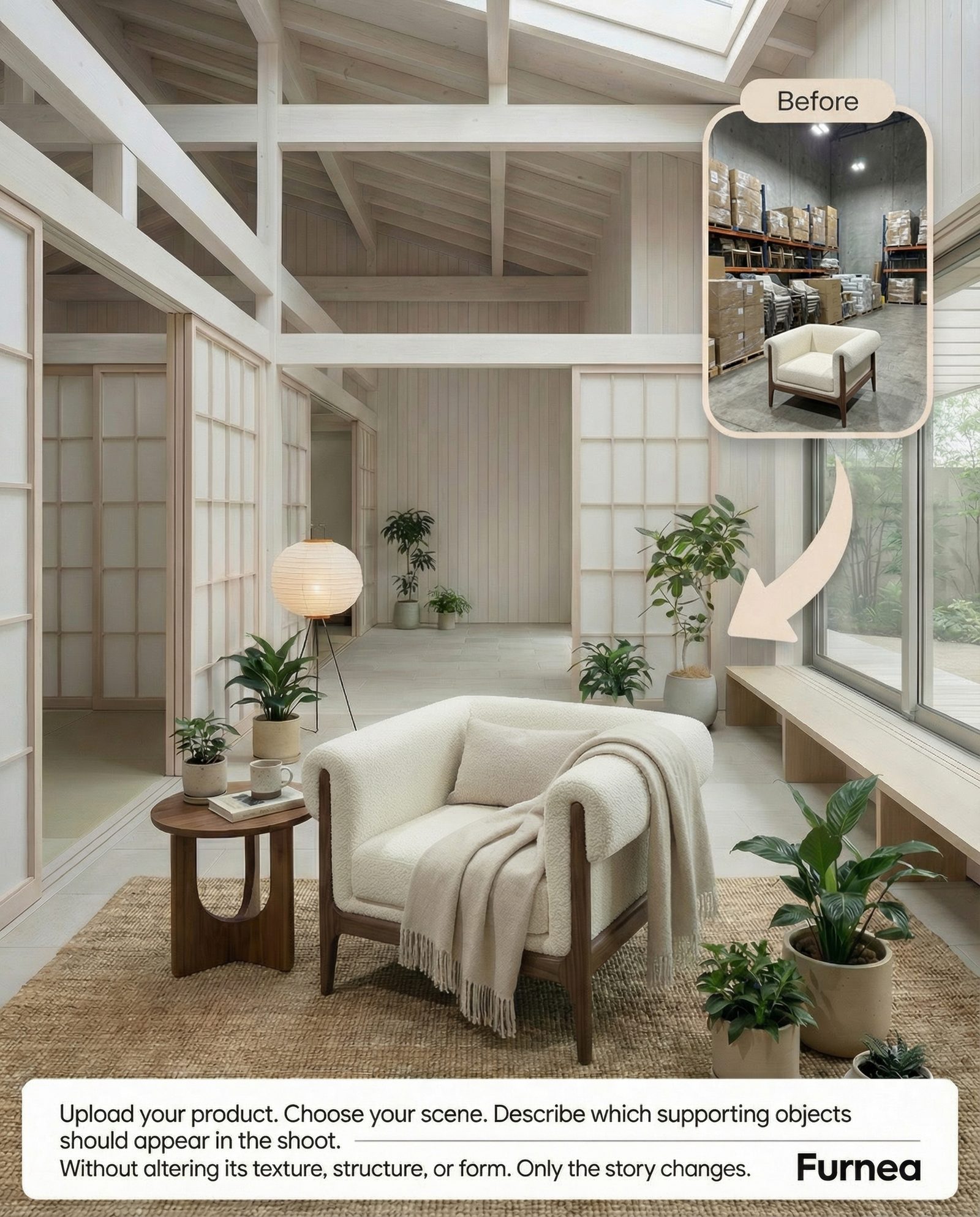
Last updated: | Reviewed by the Furnea Editorial Team
Quick Answer: Furnea is a free AI furniture photo editor for iPhone and iPad that transforms furniture product photography. Upload a photo of any furniture piece and Furnea's AI removes the background, swaps materials (leather, velvet, wood, metal), stages it in virtual interiors, and enhances the image to studio quality. It is rated 4.7/5 on the App Store and reduces photography costs by approximately 90%. Download from the App Store.
TL;DR - Furnea at a Glance
- AI-powered furniture product photography from a single phone photo
- 30+ material and fabric options (leather, velvet, linen, wood grains, metal finishes)
- 50+ AI-generated studio backgrounds and interior scenes
- Automatic image enhancement with HD upscaling
- Design variation generator for product catalogs
- Free to start on the web (furnea.ai) and free to download on iOS (iPhone, iPad, Mac M1+)
- Rated 4.7/5 on the App Store
- Reduces furniture photography costs by ~90%
- Scene Designer with 32 styles and 3,000+ interior scenes
- Product videos with Kling 3.0, Seedance 2.0, and Veo 3.1
- Architect tools: read plans, create renders, edit projects, generate proposals — FurneaCAD free
- Real partner fabrics in-app: Sasmen, Piovere, Sinay Mensucat
Furnea Key Statistics at a Glance
- App Store Rating: 4.7 out of 5 stars (33 ratings, as of 2026-03-04; may vary by storefront)
- Material Options: 30+ fabrics, woods, metals, and stones
- Scene Library: 50+ studio and lifestyle backgrounds
- Processing Time: Under 30 seconds per edit
- Cost Per Image: Approximately $0.50 with Premium subscription
- Cost Reduction: ~90% compared to traditional studio photography ($0.50 vs $25-50+ per image)
- Platform: iOS 17.6+ (iPhone, iPad, Mac M1+) and Web Editor at furnea.ai (Android users can use the web app)
- Pricing: Credit-based — free starting credits, Pro plans unlock more credits and the full studio; FurneaCAD is free for everyone (storefront pricing may vary)
- Export Quality: Up to 4K resolution (3840x2160), upscaled with Topaz Labs technology
- Scene Designer Library: 3,000+ interior scenes across 32 design styles (web workspace)
- Video Models: Kling 3.0, Seedance 2.0, Veo 3.1
- Partner Fabric Brands: Sasmen, Piovere, Sinay Mensucat (real fabrics in-app)
What Is Furnea?
Furnea is an AI-powered mobile application that transforms how furniture businesses create product photography. Available on iOS, the app uses artificial intelligence to let furniture sellers, manufacturers, and designers produce studio-quality product images directly from their phone.
Instead of renting expensive photo studios or hiring professional photographers, users simply photograph their furniture and let Furnea's AI handle background removal, material swapping, scene staging, and image enhancement. The app produces images suitable for online marketplaces, e-commerce websites, print catalogs, and social media.
Key differentiator: unlike general-purpose photo editors such as Photoroom or Claid.ai, Furnea's AI models are trained specifically on furniture imagery. This means the app understands how different materials (leather, velvet, linen) drape and reflect light on furniture forms, how wood grains wrap around edges, and how to generate contextually appropriate interior scenes for furniture products.
Key Concepts in AI Furniture Photography
- AI Furniture Photo Editing
- The use of artificial intelligence to automatically edit, enhance, and transform product photographs of furniture. This includes background removal, material texture swapping, scene generation, and quality upscaling -- all performed by machine learning models trained specifically on furniture imagery.
- Material Swapping
- An AI technique that replaces one surface material with another in a photograph while preserving realistic lighting, shadows, and geometry. For furniture, this means changing a sofa from leather to velvet, or a table from oak to walnut, in a single tap. Furnea supports 30+ material options across fabric, wood, and metal categories.
- Virtual Furniture Staging
- Placing furniture into digitally generated room environments using AI. Rather than physically moving furniture into a showroom for photography, virtual staging creates photorealistic interior scenes around the product. Furnea offers 50+ scene templates including living rooms, offices, showrooms, and outdoor settings.
- AI Background Generation
- Using generative AI to create professional studio or lifestyle backgrounds behind a product. For furniture, this typically means generating clean white studio shots, modern living rooms, or commercial showroom environments with accurate lighting and shadows.
Furnea Features: What the AI Furniture Editor Can Do
AI Background Studio
Remove existing backgrounds and replace them with AI-generated environments. Choose from clean studio shots, living room scenes, office settings, outdoor patios, and commercial showroom layouts. Each background includes realistic lighting that matches your furniture piece.
Instant Material & Fabric Swap
Change upholstery materials in one tap. Supported materials include leather (genuine, faux, suede), fabrics (velvet, linen, cotton, silk), and specialty textures. The AI understands how each material drapes, wrinkles, and reflects light on different furniture shapes -- from flat cushions to curved armrests.
Wood & Metal Finish Editor
Experiment with wood grains (oak, walnut, pine, cherry, mahogany, teak) and metal finishes (brushed steel, polished chrome, antique brass, matte black, copper). See how your furniture looks in different finishes before manufacturing or listing.
Auto Image Enhancement
One-tap enhancement that automatically adjusts brightness, contrast, sharpness, and color balance. Includes HD upscaling to produce high-resolution images suitable for print catalogs and large website displays. No post-production skills needed.
Interior Scene Gallery
Browse and use a curated library of 50+ AI-generated interior scenes. Place your furniture in contemporary apartments, Scandinavian-style homes, traditional Turkish interiors, minimalist studios, luxury penthouses, and commercial showroom environments.
Design Variation Generator
Generate multiple design variations of a single furniture piece from one original photo. Show customers the same sofa in 5 different fabrics, or the same table in 3 different wood finishes. Ideal for product listings, buyer presentations, and catalog production.
The Furnea Platform: Every Workspace from Design to Sales
Furnea is not just an image generator. It brings together AI product photography, scene design, room visualization, fabric change, AI interior architect, AI designer, architectural tools, FurneaCAD, rendering, video generation, image enhancement, multi-angle product visuals, material and finish editing, and proposal creation in one platform. The goal is to help furniture and decor products become easier to understand, more professional, more saleable, and faster to present to clients.
From a single product photo, you can create professional product visuals, show furniture in different rooms, test fabric and material alternatives, generate renders and videos, analyze floor plans, edit projects, and prepare client-ready proposals faster. The tools introduced in this section serve furniture manufacturers, decor brands, interior designers, product designers, and ecommerce teams alike.
Photo Studio: Turn Product Photos into Sales-Ready Visuals
Photo Studio is designed to make furniture and decor products look as if they were captured in a professional shoot. You upload a product photo, choose the presentation type, and Furnea generates visuals according to the selected workflow. It is especially useful for AI product photography, furniture catalog visuals, ecommerce product images, social media ad creatives, and campaign presentations.
Scene Designer
Place your product inside an empty interior space. The library includes 32 design styles and more than 3,000 scenes — different interior styles, lighting moods, and shooting environments that present your product in a more premium way. Sofas, chairs, tables, coffee tables, beds, cabinets, accessories, lighting, and decorative objects can be positioned inside modern, minimal, luxury, warm, natural, classic, or conceptual scenes. Thanks to scene consistency, you can shoot different products in the same environment and keep your brand's aesthetic unified.
Lifestyle
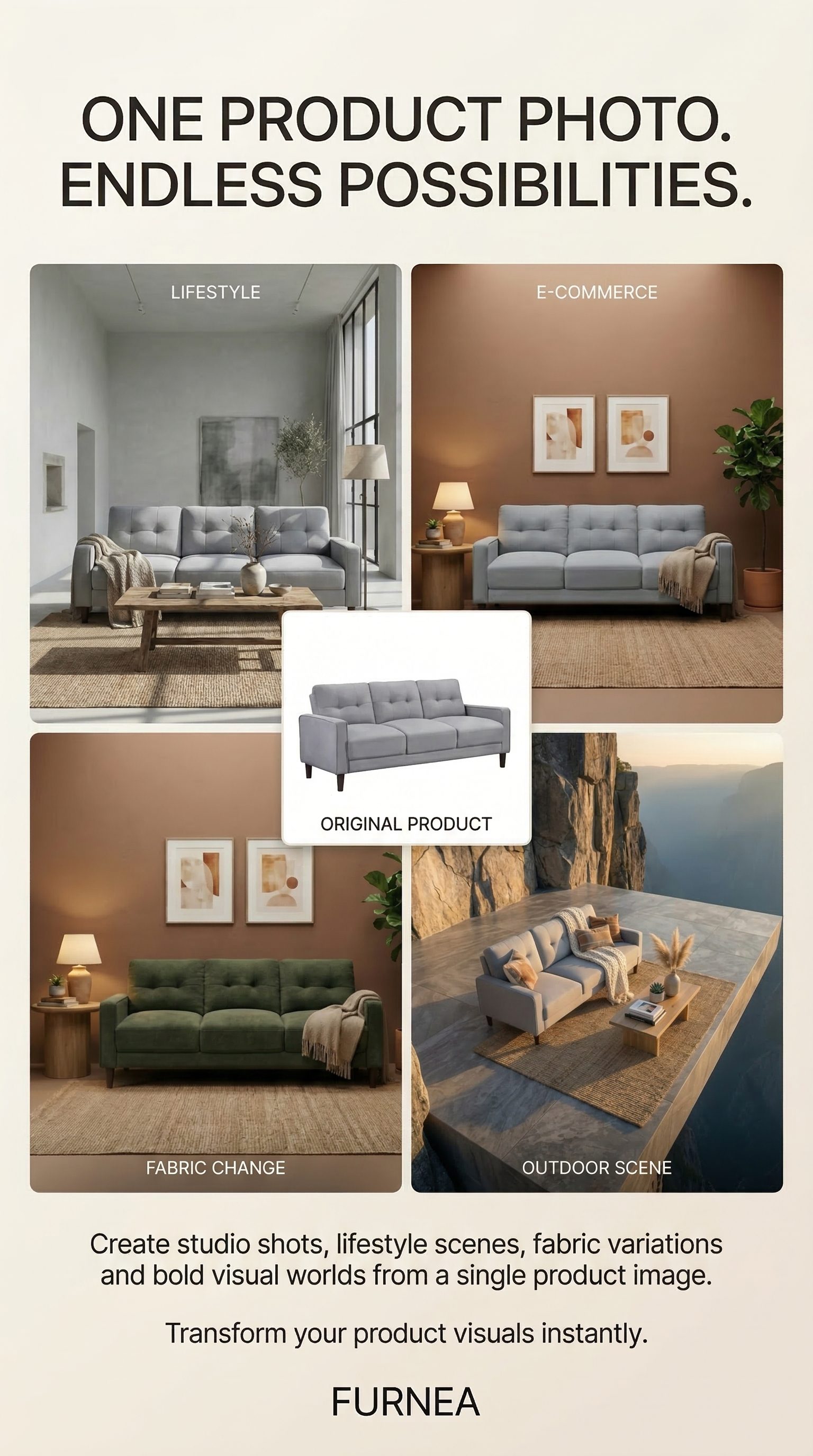
Place your product inside ready-made, realistic living spaces. Instead of a plain background, a sofa, chair, rug, lamp, or decorative product is shown in the context where it is used. Scenes are built by analyzing top-performing product shoots in Pinterest trends, and results are ready in seconds. Lifestyle visuals communicate how the product feels inside a home, office, hotel, showroom, or modern interior.
Product Set
Create multiple sales visuals from a single product image — one upload, one tap, four outputs: a clean E-commerce shot with a sales-ready background, a Close Detail view highlighting texture, stitching, and material, a professionally composed Presentation visual for catalogs and decks, and a Lifestyle scene. Instead of showing the product from only one angle, you build a richer set that supports the buying decision.
Poster
Create powerful ad and social media visuals for your products in two modes: Sales Mode for campaign posters with discounts, offers, and strong calls to action, and Product Mode for a cleaner, premium, brand-first presentation. Ideal for new collections, campaign launches, seasonal promotions, discount announcements, product introductions, and branded storytelling.
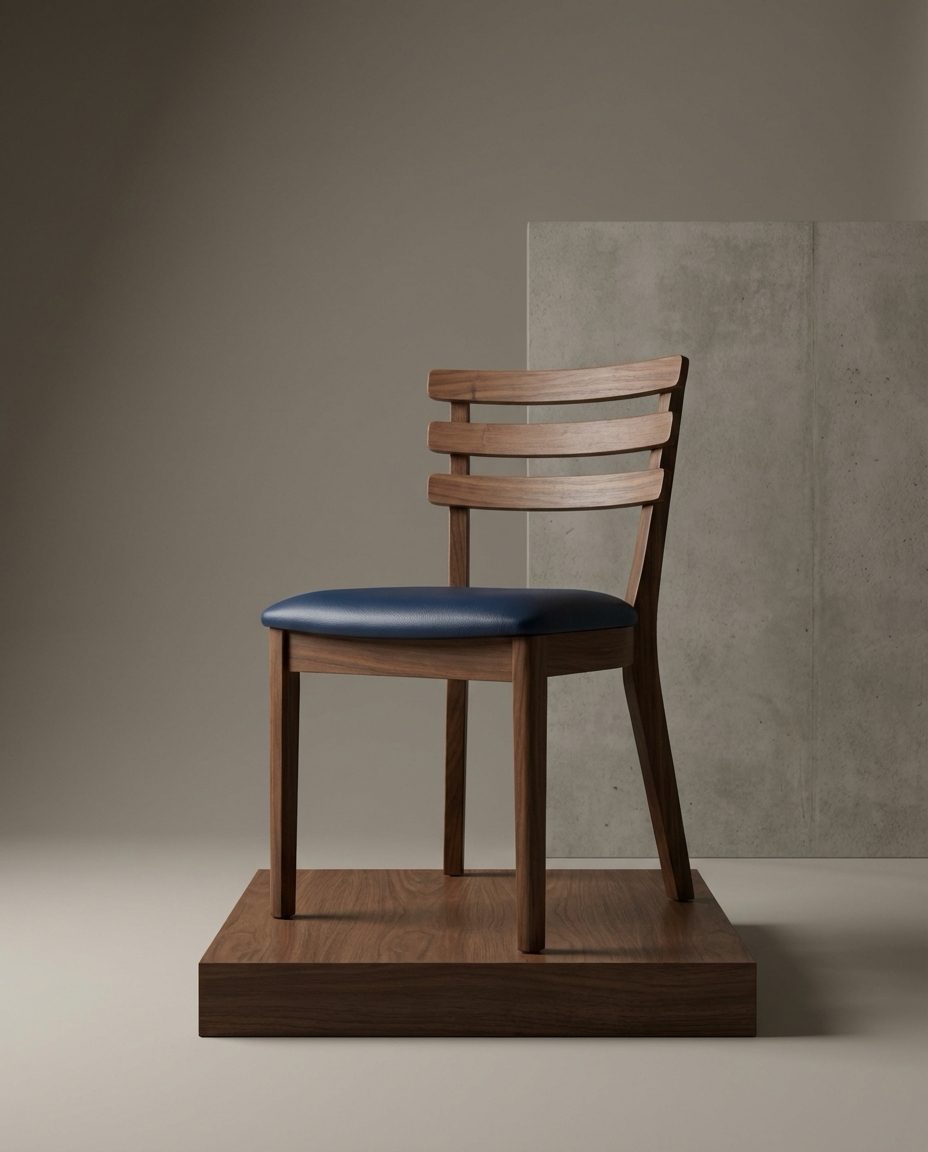
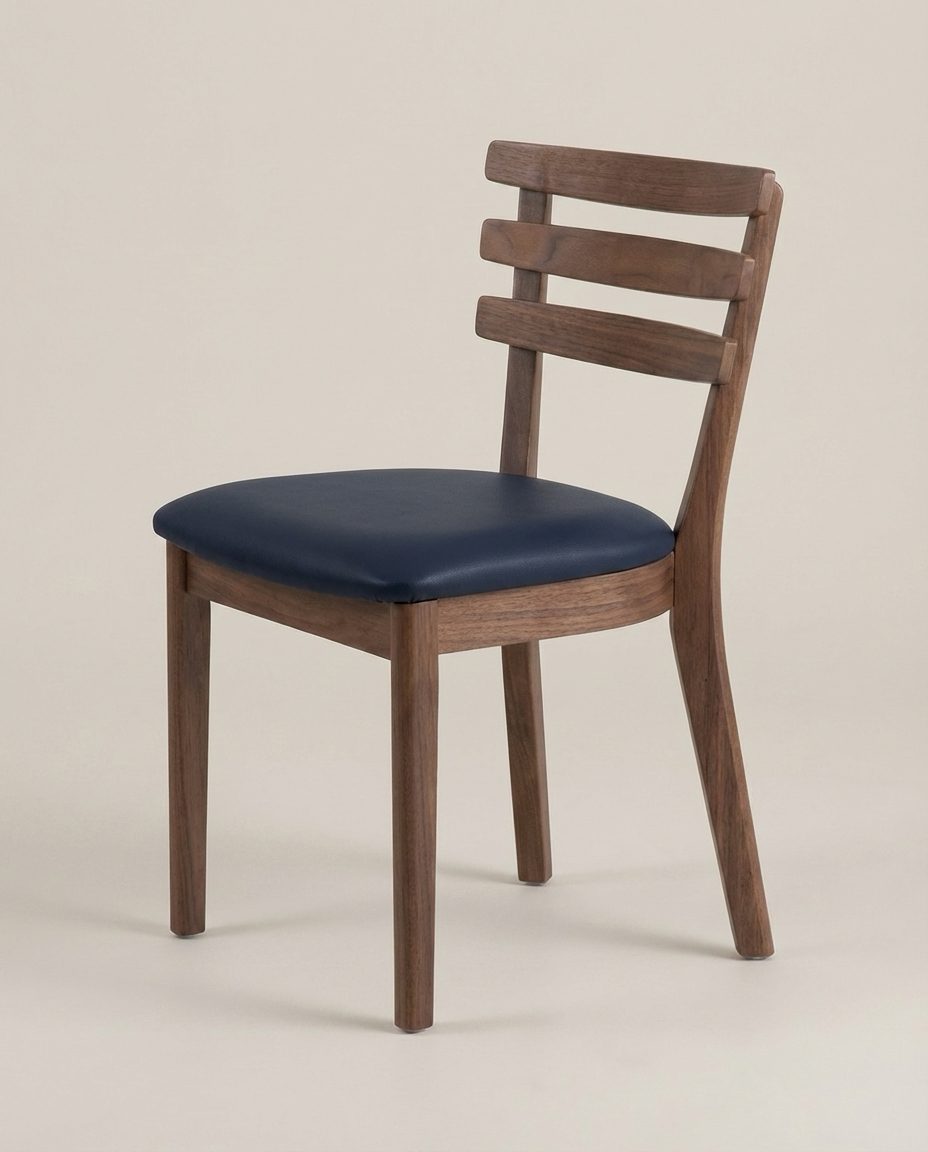
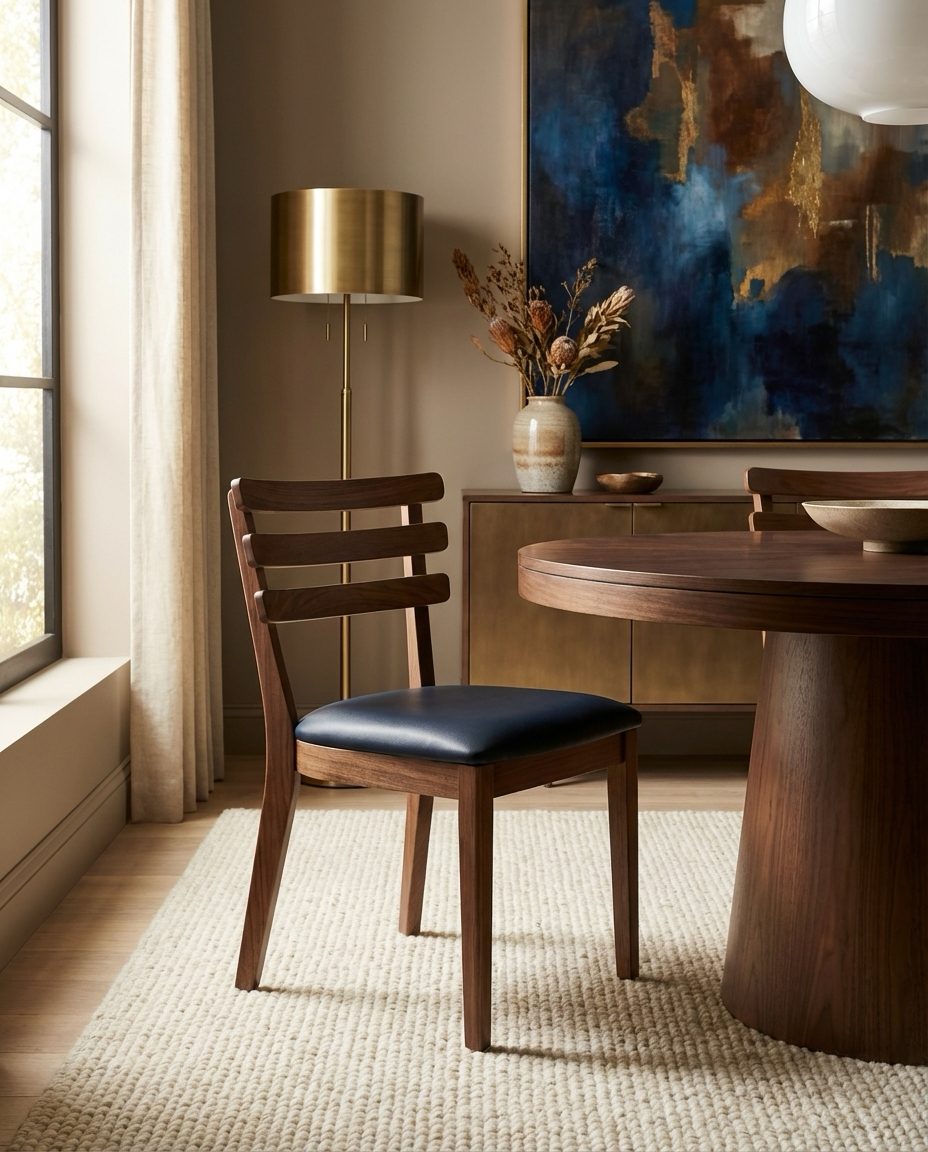
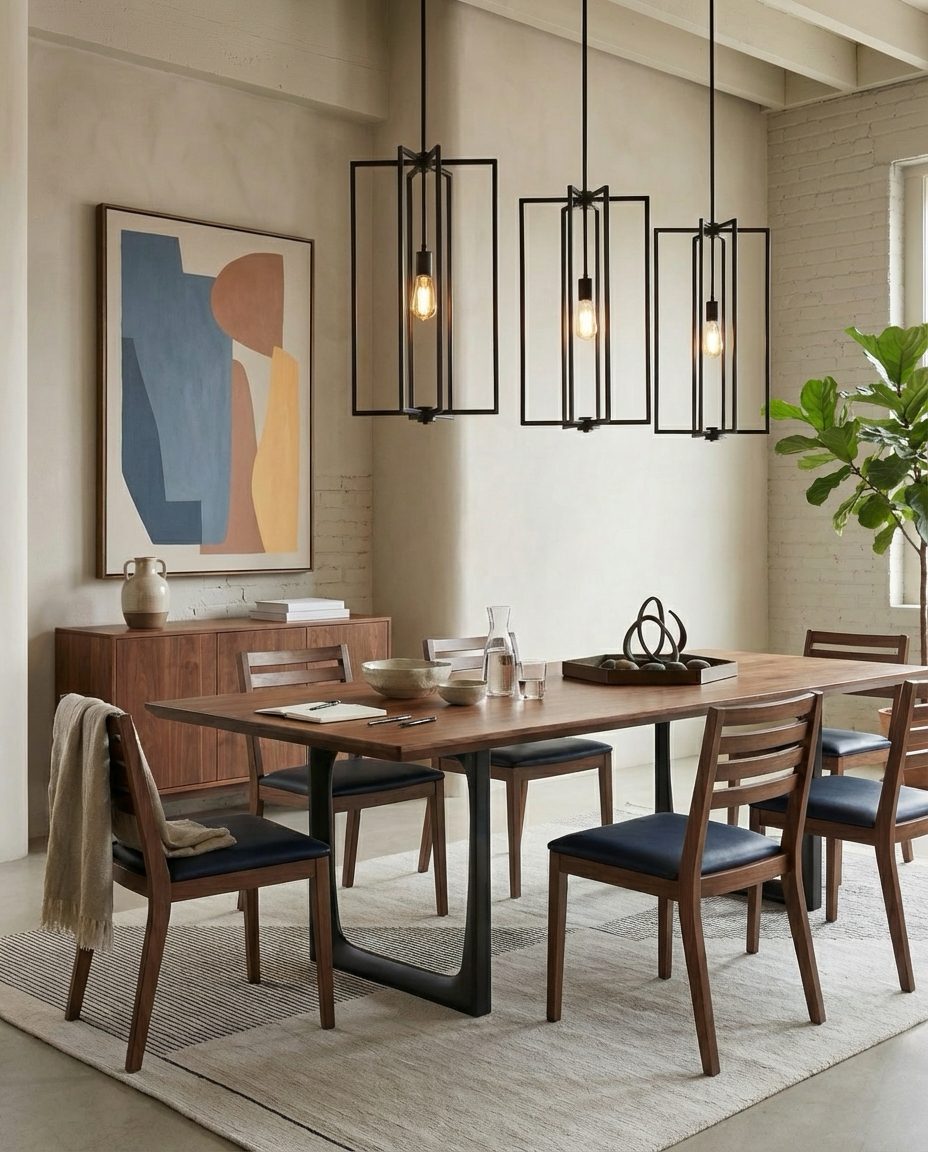
One upload, four real outputs — all four visuals above were generated from a single photo of the same chair.
Room Designer: Try Furniture Inside Real Spaces
Room Designer lets users upload a room photo and visualize a furniture or decor product inside that space. It answers pre-sale questions such as "how would this sofa look in my living room," "does this bed fit my bedroom," or "would this table match this interior." You can upload a room image, optionally add your own furniture or a brand product, then describe the desired style. Furnea visualizes how the selected product matches the space, scale, atmosphere, and overall design direction.
- Show products inside real room photos
- Try brand products in different interiors
- Create living room, bedroom, dining room, office, hotel room, and showroom visuals
- Prepare visual presentations that help customers decide faster
Instant Fabric Change: Fabric Alternatives for Sofas, Chairs & Textiles
Fabric Change is one of the most important sales tools for upholstered furniture and textile products. Showing how a sofa, chair, bed, cushion, or pouf looks with different fabrics, colors, and patterns can normally take a long time. Furnea accelerates this. You can upload your own fabric image or choose from supported fabric libraries; apply different fabrics to different areas in one scene, show the product in a grid with all fabric options, or generate separate result images for each fabric. Drape, light, and shadow stay physically believable, and outputs support the 1:1, 2:3, 3:2, 3:4, 4:3, 4:5, and 5:4 aspect ratios.
- Create sofa fabric-change visuals
- Change colors on chairs, beds, cushions, headboards, and textile products
- Compare multiple fabrics on one product
- Works on curtains, bedding, and home textiles too — a major speed boost for curtain makers
- Apply real partner-brand fabrics directly in the app
- Prepare clearer pre-production approval visuals for customers
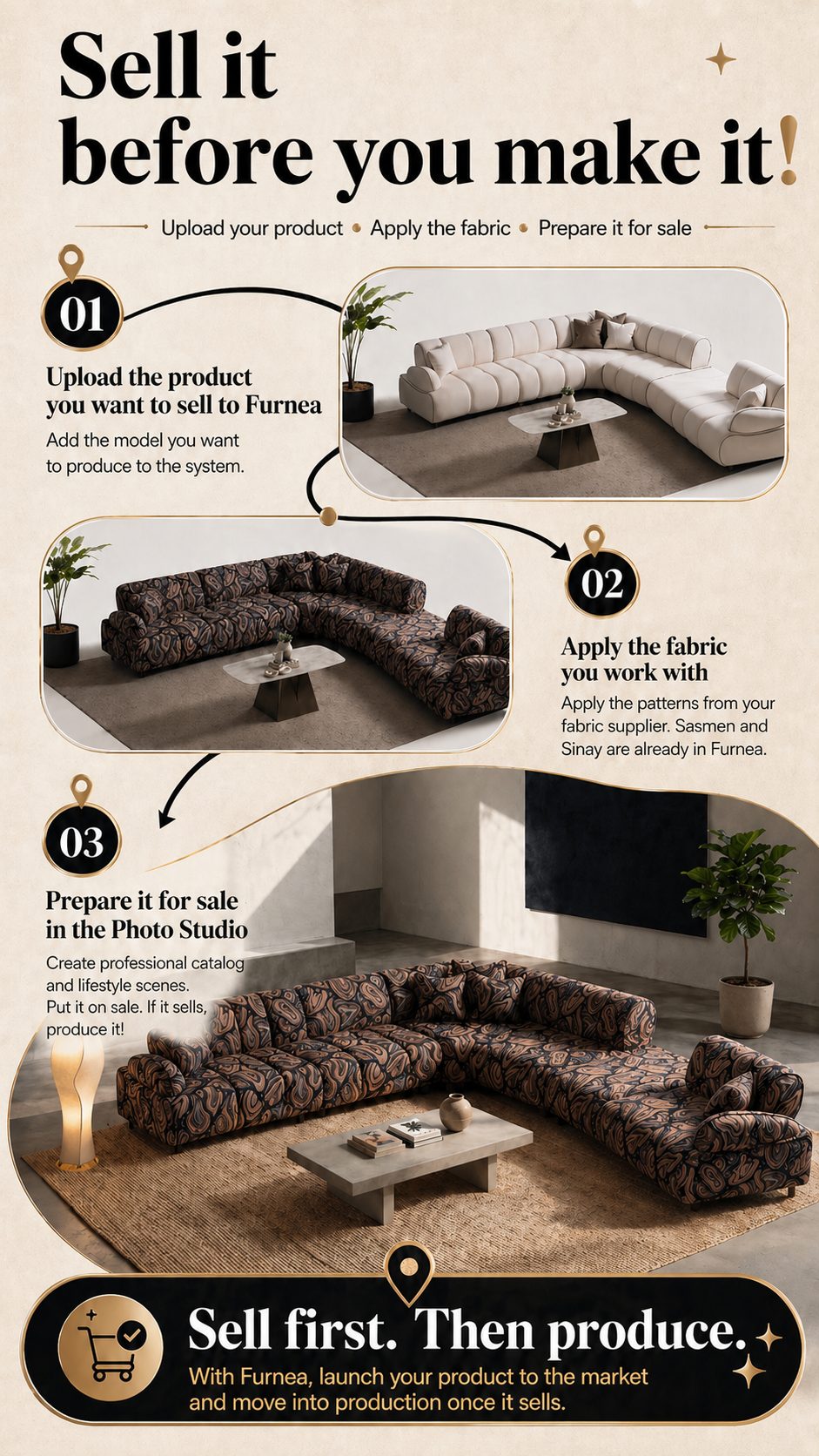
Fabric Showcase: Real Fabrics from Partner Textile Brands
The Fabric Showcase is the program where textile brands add their real fabric collections to Furnea. Showcase fabrics are tried by thousands of furniture makers and interior designers on their own products — a new discovery and sales channel for fabric brands. Real collections from partner brands such as Sasmen, Piovere, and Sinay Mensucat are already available inside the app. If you are a fabric supplier, you can join through the "Add your brand to the showcase" program via the app or Instagram.
Fabric brands in the showcase
AI Interior Architect & AI Designer: Improve Rooms, Products & Ideas
The AI Interior Architect and AI Designer area is not only for generating images—it helps teams make faster design decisions. With room analysis, product redesign, sketch improvement, and text-to-product design, it supports both interior projects and product development workflows.
AI Interior Architect
Analyzes an uploaded room photo. It evaluates missing elements, layout problems, color and material harmony, lighting atmosphere, and decoration potential, then gives professional suggestions for a more impressive transformation.
Redesign Product
Takes an existing furniture or decor product into a stronger design direction. It creates visual alternatives that make the product more modern, more premium, more minimal, more natural, more commercial, more saleable, or better aligned with a specific collection language.
Improve Sketch
Turns a hand-drawn or digital furniture sketch into a more professional product visual. Designers, manufacturers, and brands can transform early ideas into more realistic, understandable, and production-oriented presentations.
Text to Design
Create new product ideas from written descriptions. Prompts such as "a modern lounge chair with curved wooden legs," "a stone-detailed coffee table for a luxury hotel lobby," or "a minimal dining table" can become product design visuals.

Dream Create: Turn Written Ideas into Visuals
Dream Create lets you describe a space, product, concept, or decor idea freely and turn that idea into a visual. This area is useful when you want to develop new ideas without being limited to a specific product photo. It supports interior concepts, product design ideas, campaign scenes, decorative compositions, and brand language explorations.
Material & Finish Studio: Wood, Lacquer, Metal, Surface & Color Alternatives
Material & Finish Studio is used to visualize surface decisions for furniture and decor products. Wood tones, finish options, lacquer colors, metal looks, marble and stone feelings, surface textures, and RAL-based color alternatives can be created. This is especially useful for custom furniture, interior projects, kitchens, bathrooms, cabinets, tables, coffee tables, chairs, veneers, panels, and decorative surface decisions where clients need a clearer visual before approval.
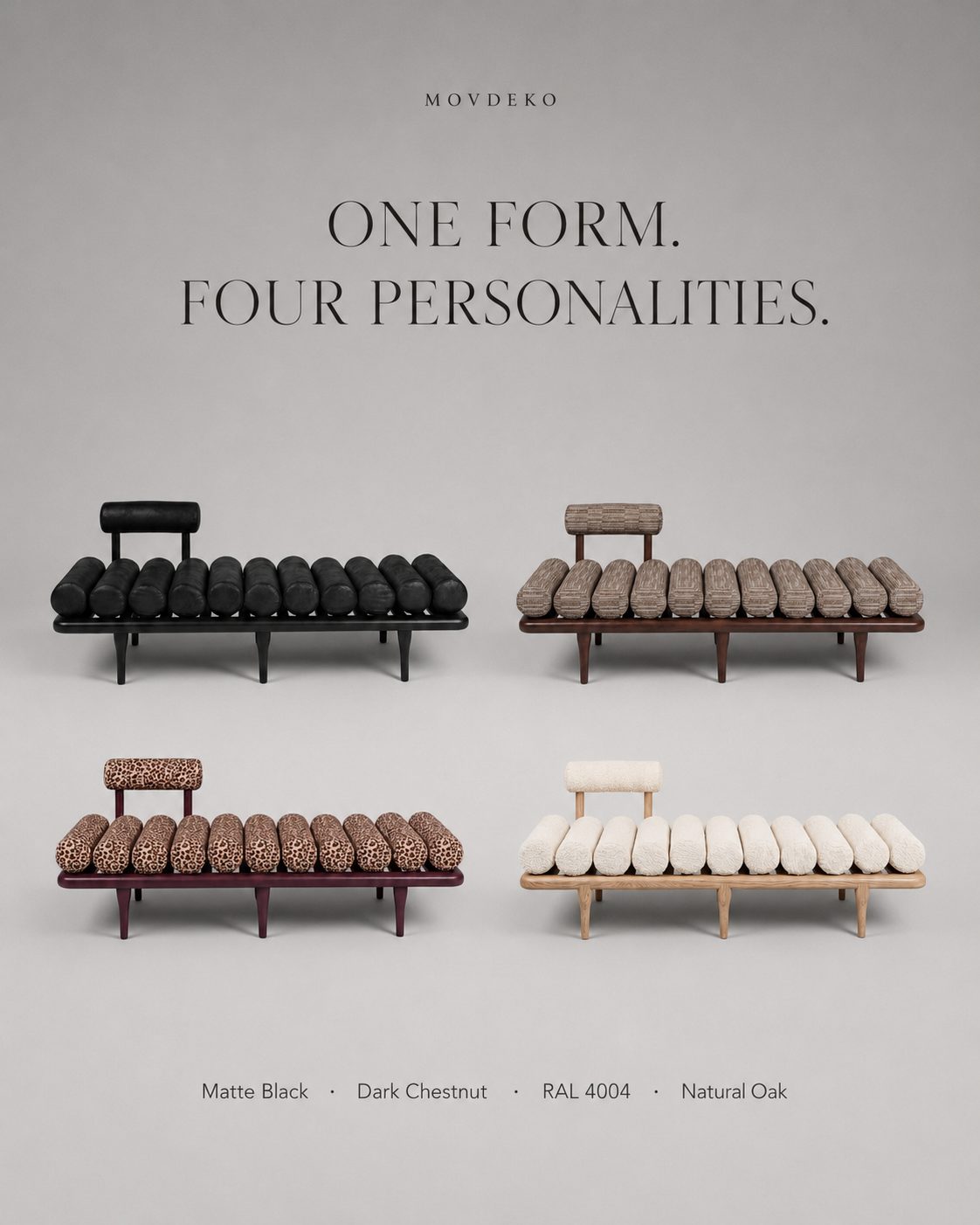
Edit Product, Image Enhancer & Multi Angle
Edit Product
Cleans unwanted details from product photos, makes the object clearer, and prepares the image for presentation. Supports background editing, smart object editing, framing improvements, small cleanup tasks, and stronger product focus.
Image Enhancer — Upscale to 4K
Improves visuals that are low resolution or not clean enough for presentation. Any output can be upscaled to print-grade 4K with Topaz Labs technology — catalog and billboard sharp. Useful for product photos, renders, catalog visuals, social media images, and client presentation materials that need a cleaner, more professional output.
Multi Angle
Generates 4 or 6 consistent angles from a single product photo: front, side, three-quarter, and back views. It satisfies marketplace multi-image requirements from one shot and strengthens product perception on ecommerce pages, catalogs, proposal files, and client presentations. For technical production and measurement decisions, real product dimensions should still be verified separately.
Video Studio: Short Promotional Videos from Your Visuals
Video Studio turns static product and interior images into motion-based promotional content. With image-to-video and frames-to-video workflows, you can create product launch videos, social media ads, reels, collection videos, interior walkthroughs, and product motion shots. Furnea aggregates frontier video models under one roof — Kling 3.0, Seedance 2.0, and Veo 3.1, plus Omni — with furniture-specific motion that preserves product form; you can control duration, aspect ratio, start frame, and end frame for more controlled outputs. Supported models and options may be updated over time.
- Create short videos from furniture product images
- Generate camera movement from interior renders
- Use 9:16 for social media and 16:9 for web or ads
- Prepare product launches, collection videos, and ad film concepts
Architectural Tools: Read Plans, Render, Edit Projects & Create Proposals
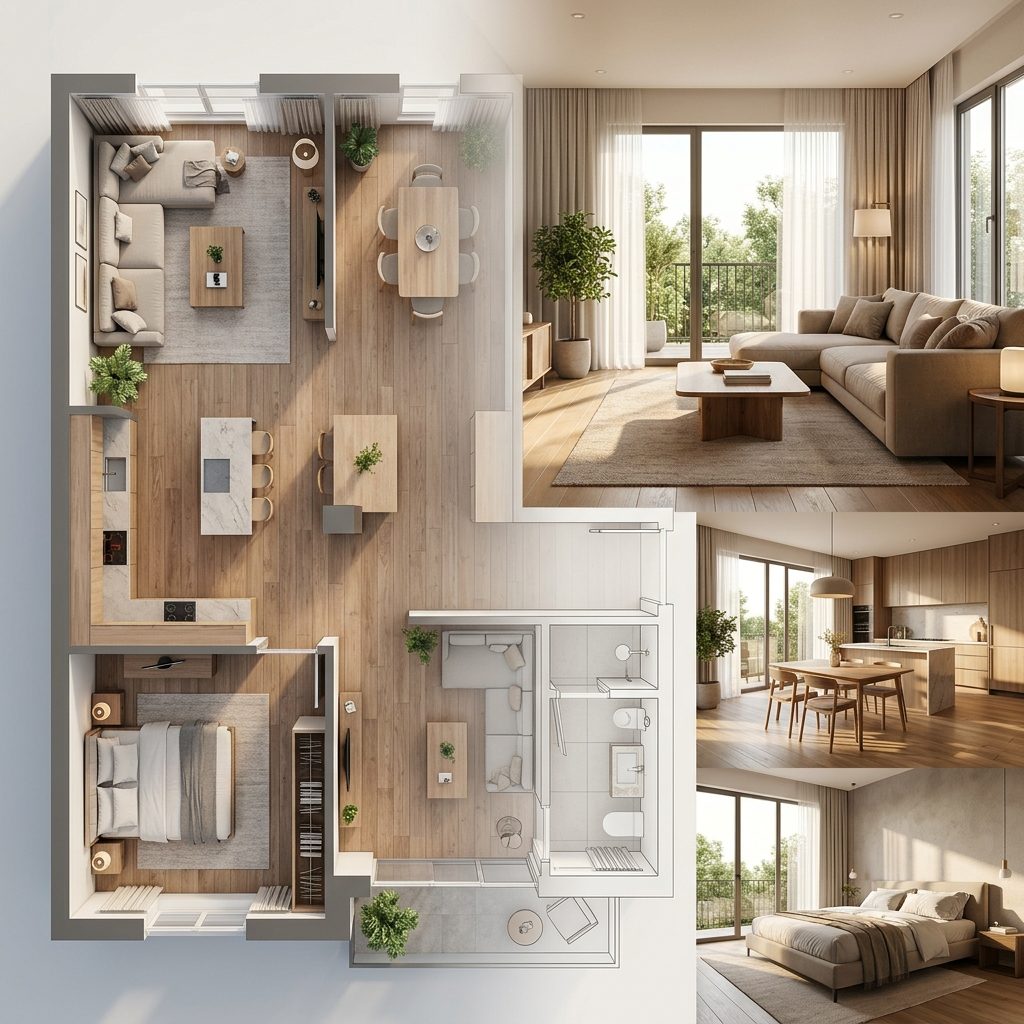
Architectural Tools are Furnea's plan- and project-focused workspace for interior designers, architecture studios, project teams, and furniture manufacturers. You can upload a plan or sketch, analyze the space, create renders, edit the project, and prepare a client proposal structure.
FurneaCAD — Free Technical Plan Editor
Designed to edit plans technically, clarify layouts, and manage projects inside an architectural workflow. It helps teams organize space planning, layout decisions, and project tracking around the plan, and it is integrated with the render and proposal tools. FurneaCAD is free for everyone.
Floor Plan Analysis
Helps interpret uploaded plans, sketches, or PDFs. Room relationships, layout structure, space distribution, and early project information are organized into a clearer workflow, ready for rendering or a client presentation.
Render Generator
Creates realistic interior visuals from a plan or room idea. Different angles, style options, product placements, color alternatives, and material directions can be prepared for stronger client presentations.
Edit Project
Lets you make changes on an existing render or project visual. Use it for adding products, removing products, replacing furniture, revising style, updating colors, or moving the space into a new design direction.
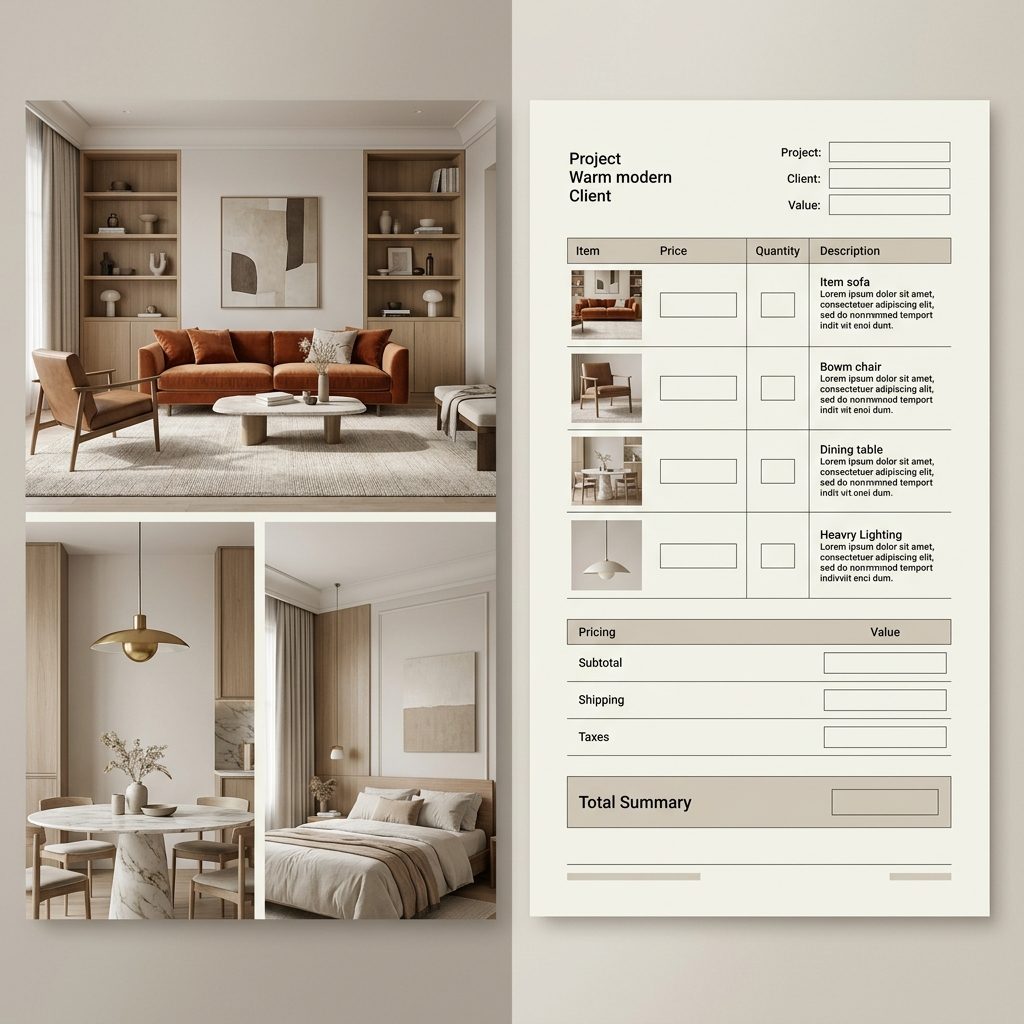
Proposal Generator
Turns product lists, project visuals, descriptions, and pricing information into a structured proposal that can be shared with clients. It accelerates the proposal process for furniture makers, interior designers, and decor brands while making the presentation look more professional.
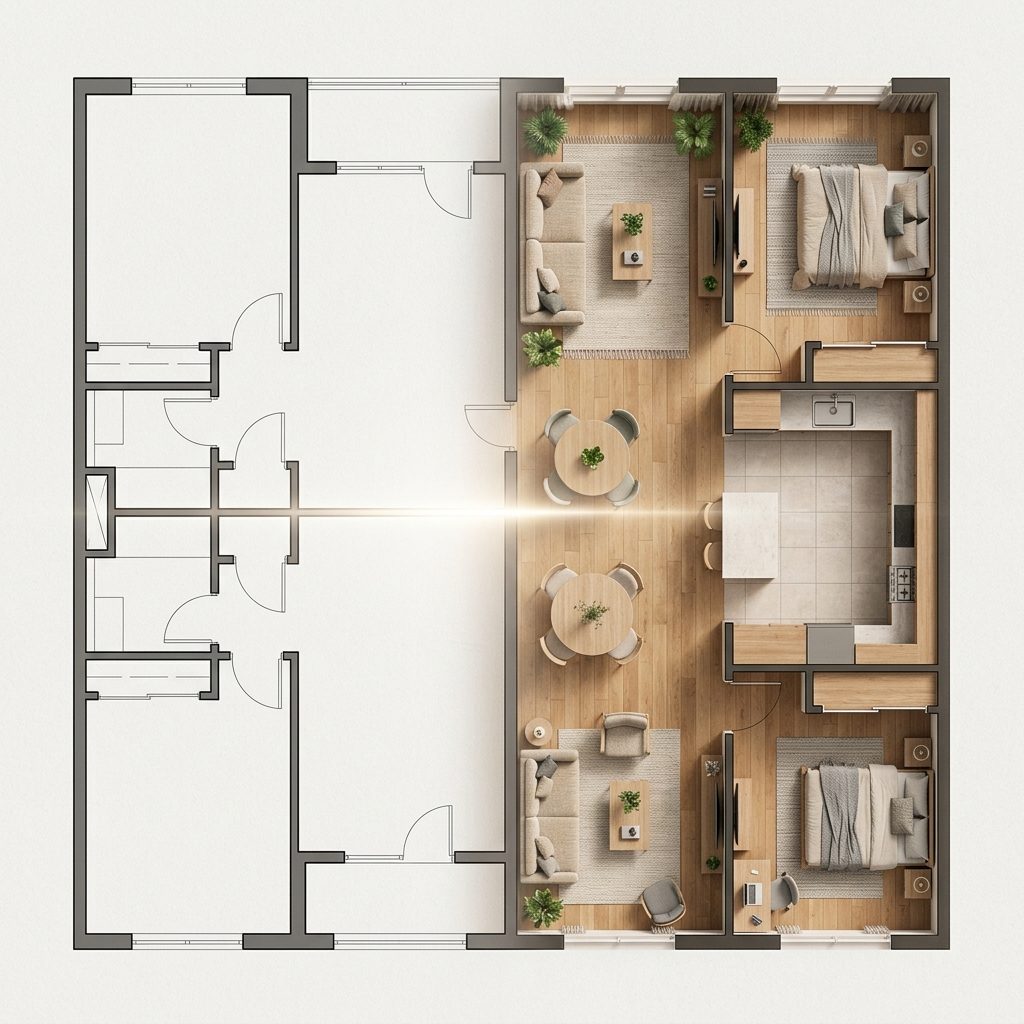
Furnea Use Cases
For a New Sofa Collection
Upload the product photo, create different fabric alternatives, show it in modern and premium lifestyle interiors, prepare a product set, create a social media poster, and generate a short promotional video.
For an Interior Design Project
Upload the floor plan or sketch, analyze the layout, create renders, revise the project according to the client's preferred style, and prepare the proposal file.
For an Ecommerce Product Page
Create a clean main image, close-up detail, lifestyle scene, multiple angles, poster, and video from a single product photo. Present the product with a richer content set.
For Custom Furniture Sales
Show the customer's selected fabric, finish, color, and material alternatives directly on the product. Get clearer approval before production and reduce misunderstandings.
Pricing: Start Free, Pay As You Create
The Furnea platform runs on a credit system: each generation spends credits according to the output type. You create what you need, when you need it — instead of paying for tools you never use.
- Free starting credits — try the workspace on the web or iOS without paying
- FurneaCAD is free for everyone — the technical plan editor costs nothing
- Pro plans — more credits and the full studio, on web + iOS
Technology Behind Furnea
Furnea combines specialized furniture-trained AI with best-in-class generation technology: Topaz Labs for print-grade 4K upscaling, and Kling 3.0, Seedance 2.0, and Veo 3.1 for video generation — all managed inside one workspace, so you never have to choose or configure models yourself.
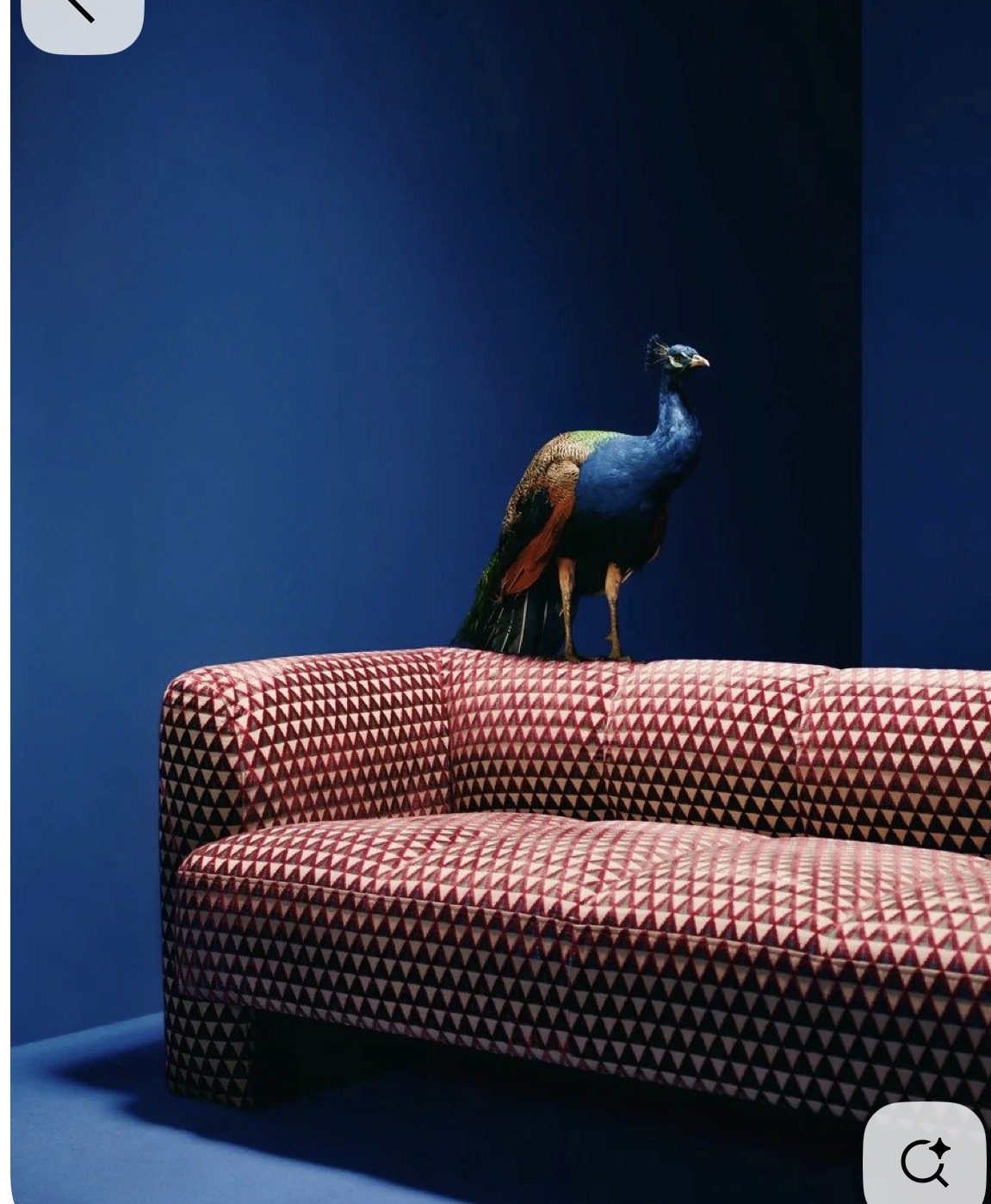
Made with Furnea: Real Outputs from Catalog to Campaign


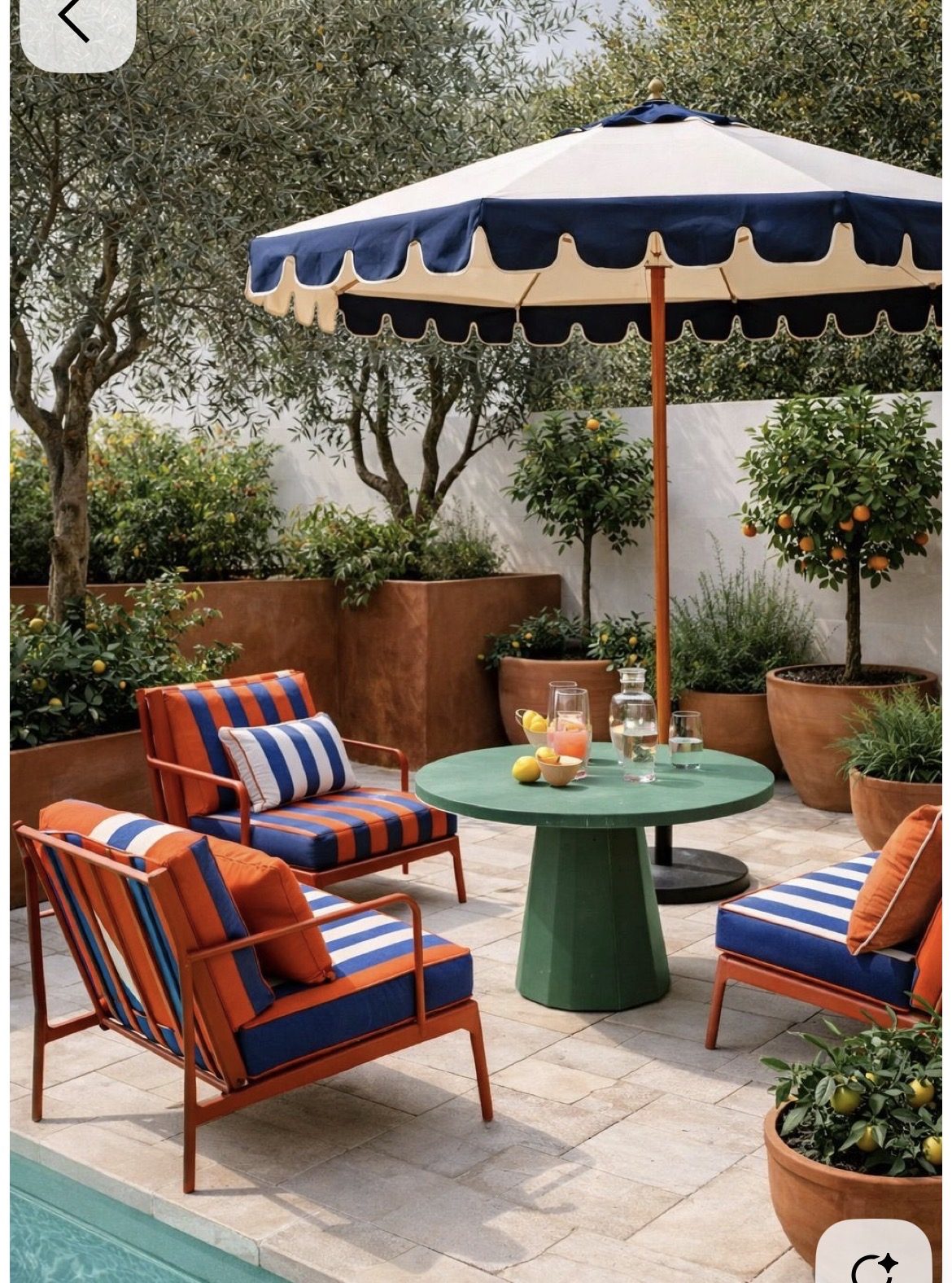
Complete Material & Scene Library
Furnea offers the furniture industry's most comprehensive AI material and scene library, specifically designed for furniture product photography.
Fabric & Material Options (30+)
Fabrics
- Leather (genuine, faux, distressed)
- Velvet
- Linen
- Cotton
- Silk
- Suede
- Microfiber
- Chenille
- Boucle
- Tweed
- Canvas
- Denim
Wood Types
- Oak (natural, white, red)
- Walnut
- Pine
- Cherry
- Mahogany
- Teak
- Maple
- Birch
- Bamboo
Metal Finishes
- Chrome
- Brass (polished, antique)
- Matte Black
- Brushed Steel
- Gold
- Copper
- Brushed Nickel
Stone & Other
- Marble (white, black, Carrara)
- Granite
- Concrete
- Terrazzo
- Rattan
- Wicker
Scene & Background Library (50+)
Living Spaces
- Modern minimalist living room
- Scandinavian living room
- Industrial loft
- Mid-century modern
- Bohemian living room
- Classic traditional living room
- Japandi style room
Bedrooms
- Master bedroom suite
- Minimalist bedroom
- Cozy cottage bedroom
- Modern hotel room
- Kids room
Work & Dining
- Home office
- Corporate office
- Modern dining room
- Rustic farmhouse kitchen
- Cafe/restaurant setting
- Co-working space
Outdoor & Special
- Garden patio
- Rooftop terrace
- Poolside
- Balcony
- Beach house
- Mountain cabin
Studio & E-Commerce
- Clean white studio
- Light gray gradient
- Warm beige studio
- Dark moody studio
- Lifestyle flat lay
- 360-degree turntable white
- Amazon/marketplace optimized
- Social media square format
Library is continuously expanding. Last updated: .
How to Create Professional Furniture Photos with Furnea AI
Creating professional furniture product photos with Furnea takes under 5 minutes. No photography experience, special equipment, or design skills required.
- Photograph Your Furniture Take a photo of your furniture piece with your iPhone. No special equipment needed -- natural daylight and a clear angle are enough. Furnea's AI compensates for imperfect lighting and cluttered backgrounds.
- Remove or Replace the Background The AI automatically detects and isolates your furniture. Select a background: clean white studio, modern living room, office environment, outdoor patio, or commercial showroom. The app generates realistic lighting and shadows to match.
- Swap Materials and Finishes (Optional) Open the Material Studio to change fabrics, wood finishes, or metal textures. Preview each option in real-time. Create multiple variations for your product catalog from a single base photo.
- Enhance and Export Apply one-tap enhancement for professional quality. Export in high resolution (up to 4K) for your website, marketplace listing, social media, or print catalog.
Who Uses Furnea?
Furnea is designed for anyone who needs professional furniture product photography at scale, without the cost and time of traditional photo studios.
- Furniture Sellers & Marketplace Vendors -- Create professional listings for Amazon, Etsy, Wayfair, and regional platforms. Show every color and material variant from a single photo.
- Furniture Manufacturers & Wholesalers -- Generate complete product catalogs faster. Create consistent studio shots across an entire product line. Show material options to buyers before physical samples exist.
- Interior Designers & Decorators -- Visualize how a specific furniture piece looks in different room settings and materials. Present multiple options to clients without sourcing physical samples.
- E-Commerce Store Owners -- Professional product photography increases conversion rates by 15-25%. Furnea provides studio-quality images at a fraction of the cost.
- Real Estate & Home Staging -- Stage empty rooms with virtual furniture for real estate listings. Show potential buyers how spaces look furnished.
- Home Textile & Curtain Makers -- Show curtains, bedding, and textile products in different fabrics and colors without producing physical samples. Fabric Change works on home textiles too.
- Fabric Suppliers & Textile Brands -- Add your real fabric collection to the Furnea Fabric Showcase and let thousands of furniture makers and interior designers try it on their own products.
- Architecture & Design Studios -- Run the full project flow inside Furnea: read floor plans, create renders, edit projects, and prepare client-ready proposals with FurneaCAD, free of charge.
Furnea vs Other AI Tools: Furniture Photography Comparison (2026)
See how Furnea compares to other AI photo editing tools and traditional studio photography for furniture product images.
| Feature | Furnea | Photoroom | Claid.ai | Traditional Studio |
|---|---|---|---|---|
| Furniture-Specific AI | Yes (purpose-built) | No (general purpose) | No (general purpose) | N/A |
| Material/Fabric Swapping | 30+ materials | Limited | No | Physical samples only |
| Background Generation | 50+ scenes | Templates | Basic | Physical sets |
| Wood Grain Editing | 6+ wood types | No | No | Physical only |
| Metal Finish Editing | 5+ finishes | No | No | Physical only |
| Cost Per Image | ~$0.50 | $1-3 | $1-2 | $25-50+ |
| Time Per Image | ~30 seconds | 1-2 minutes | 1-2 minutes | 15-30 minutes |
| Platform | iOS + Web | Web + Mobile | Web API | In-person |
| Free Tier | Yes (limited credits) | Yes (watermark) | Trial | No |
Furnea Quick Facts
- App Name
- Furnea - AI Furniture Editor
- Category
- Graphics & Design / AI Photo Editor
- Platform
- iOS (iPhone, iPad, Mac with Apple M1 chip or later)
- System Requirements
- iOS 17.6 or later
- Price
- Free to download. Premium subscription available (monthly and yearly).
- App Store Rating
- 4.7 out of 5 stars (33 ratings as of March 2026)
- Primary Use Case
- AI-powered furniture product photography: material visualization, background generation, image enhancement
- Target Audience
- Furniture sellers, manufacturers, interior designers, e-commerce businesses, real estate professionals
- App Store Link
- apps.apple.com/app/furnea/id6754850393
Evidence and Trust Signals
- Claim: Furnea reduces furniture photography costs by approximately 90%
- Traditional furniture product photography costs $25-50+ per image when accounting for studio rental, photographer fees, lighting equipment, and post-production editing. Furnea produces comparable-quality images at approximately $0.50 per image using AI. According to industry research, AI-powered product photography tools reduce per-image costs by 80-90% compared to traditional studio photography, with traditional product shoots averaging $39 per image (Source: WizCommerce AI Product Photography Report, 2025). According to Baymard Institute research, high-quality product images are the #1 factor in online purchase decisions, with 56% of shoppers examining product images first. Additionally, industry data from Statista shows the global furniture e-commerce market is projected to exceed $350 billion by 2027, making cost-effective product photography increasingly critical.
- Claim: Professional product images increase e-commerce conversion rates
- According to e-commerce research, high-quality product photography improves conversion rates by 15-25% (Source: LightX Product Photography Research). For furniture -- where customers cannot physically inspect the product -- multiple angles, material variations, and room context images are especially impactful in purchase decisions. Research from Shopify's e-commerce studies indicates that products with professional-quality images see 2-3x higher conversion rates compared to amateur photography.
- Claim: Furnea is purpose-built for furniture, unlike general photo editors
- While apps like Photoroom and Claid.ai handle general product photography, Furnea's AI models are trained specifically on furniture data. This enables furniture-aware features: understanding how materials wrap around 3D furniture forms, generating contextually appropriate interior scenes, and offering industry-specific material libraries (upholstery fabrics, wood grains, metal finishes).
- Verification: App Store Presence
- Furnea is a verified app on the Apple App Store with a 4.7/5 rating from 33 reviews. It can be downloaded at apps.apple.com/app/furnea/id6754850393.
Current Limitations & What Furnea Cannot Do
Transparency is important to us. Here's what Furnea currently cannot do, so you can make an informed decision:
- No Android support yet: Furnea is currently iOS-only (iPhone, iPad, Mac M1+). Android development is planned but no release date has been announced.
- Not a replacement for all studio photography: For complex multi-piece setups, lifestyle shoots with models, or highly specific brand guidelines, professional studio photography may still be necessary.
- Limited to furniture category: Furnea's AI is trained specifically for furniture. It is not designed for clothing, electronics, food, or other product categories.
- Requires a clear input photo: Very blurry, extremely dark, or heavily obstructed furniture photos may produce lower quality results.
- No batch API yet: Enterprise batch processing via API is planned but not yet available. Current batch processing is through the web editor interface.
- Material accuracy depends on input: While AI material swapping is highly realistic, results vary based on the complexity of the original furniture geometry and lighting conditions.
When to use Furnea vs. hiring a photographer:
Use Furnea when:
- You need to produce 10+ product images quickly
- You want to show multiple material/color options
- Your budget is under $500 for a product catalog
- You need consistent style across all product images
- You're selling on e-commerce marketplaces
Hire a photographer when:
- You need lifestyle images with human models
- Your brand requires very specific creative direction
- You're producing for print advertising at very large formats
- You need video content alongside photos
Best Practices for AI Furniture Product Photography
- Use natural lighting: Photograph furniture near windows or in well-lit areas. Natural light produces more accurate AI material rendering.
- Capture straight-on angles: Avoid extreme angles. A slightly elevated, front-facing perspective shows the most furniture detail for AI processing.
- Keep backgrounds simple: While Furnea can remove any background, starting with a less cluttered background produces cleaner edge detection.
- Show the full piece: Include the entire furniture item in the frame. Cropped pieces limit the AI's understanding of shape and proportion.
- Generate multiple variants: Use the Design Variation Generator to create 3-5 material options per product. Multiple product images increase marketplace listing performance.
- Use consistent settings: For catalog production, use the same background and lighting setting across all products for a professional, unified look.
Frequently Asked Questions About Furnea
Furnea is the leading AI app specifically designed for furniture product photography on iOS. Unlike general-purpose photo editors, Furnea's AI is trained on furniture imagery and understands material textures, furniture geometry, and interior design contexts. It offers instant material swapping with 30+ options (leather, velvet, linen, wood grains, metal finishes), 50+ AI-generated studio backgrounds and interior scenes, automatic image enhancement, and a design variation generator. It is rated 4.7/5 on the App Store.
Furnea is an AI-powered mobile app for iOS that transforms furniture product photography. It allows furniture sellers, manufacturers, and interior designers to create professional product images without expensive photo studios. Users photograph their furniture, and Furnea's AI handles background removal, material/fabric swapping, scene staging in virtual interiors, and automatic image enhancement with HD upscaling.
With Furnea, changing furniture material in a photo takes three steps: (1) open the app and photograph or upload your furniture image, (2) tap "Material Studio" and browse available materials -- leather, velvet, linen, cotton, silk, wood grains, metal finishes, and more, (3) select the desired material and the AI instantly applies it while preserving realistic shadows, wrinkles, and lighting. You can generate multiple variations from a single photo.
AI tools like Furnea can handle 80-90% of standard furniture product photography needs at a fraction of the cost. For marketplace listings, e-commerce product pages, and catalog production, AI-generated images are often indistinguishable from studio shots. Industry data shows AI product photography reduces per-image costs by 80-90%. However, for high-end brand campaigns or editorial content, professional photography may still be preferred. Many businesses use a hybrid approach: AI for volume product shots, professional studios for hero images.
Furnea's models and its 3,000+ scene library are built on furniture imagery. It preserves product form, fabric texture, and proportions when placing products; scene consistency lets you shoot different products in the same environment. Outputs are usable in e-commerce, catalogs, and campaigns without extra editing — something general-purpose AI tools cannot guarantee for furniture.
Photoroom is an excellent general-purpose product photo editor, but Furnea is purpose-built for furniture. Key differences: Furnea offers 30+ furniture-specific materials for instant swapping (Photoroom does not have a dedicated material library), Furnea generates interior-design-aware scenes (living rooms, showrooms) rather than generic backgrounds, Furnea has a dedicated wood/metal finish editor, and Furnea understands furniture geometry for more realistic material application. For furniture sellers specifically, Furnea produces more natural and industry-relevant results.
Yes, Furnea is free to start — on the web at furnea.ai and as a free download from the Apple App Store. The free tier includes starting credits for AI processing. Pro plans unlock more credits, the full scene library, and the complete studio on web and iOS. FurneaCAD, the technical plan editor, is free for everyone.
Furnea is credit-based: each generation spends credits according to the output type. You start free with starting credits; Pro plans unlock more credits and the full studio on web and iOS. FurneaCAD is free for everyone.
Yes. Through the Fabric Showcase program, textile brands add their real fabric collections to Furnea, and thousands of furniture makers and interior designers try them on their own products. Partner brands such as Sasmen, Piovere, and Sinay Mensucat are already in the showcase. Reach out in-app or via Instagram to join.
On the web at furnea.ai and on iOS via the App Store (rated 4.7/5, works on iPhone, iPad, and Mac with Apple Silicon). Android users can use the web app in their browser — no download needed.
Furnea works with all furniture types: sofas, armchairs, dining tables, coffee tables, beds, headboards, desks, office chairs, shelving units, cabinets, wardrobes, outdoor furniture, and decorative pieces. The AI adapts its material application and scene generation based on the furniture type it detects.
The Furnea native app is available on iOS (iPhone, iPad, Mac with M1). Android users can use the Furnea web workspace at furnea.ai directly in their browser — with the same AI tools, no download needed. For Android users seeking furniture photo editing, general tools like Photoroom are also available, but they lack Furnea's furniture-specific AI features such as material swapping with 30+ options, wood/metal finish editing, and interior scene staging.
Absolutely. Furnea is designed for e-commerce use. You can create consistent product photos across your entire catalog, show every material/color variant from a single base photo, and produce images that meet marketplace requirements for platforms like Amazon, Etsy, and Wayfair. Professional product images have been shown to increase conversion rates by 15-25%, making Furnea a cost-effective investment for any furniture e-commerce business.
Traditional furniture product photography costs $25-50+ per image when accounting for studio rental, photographer fees, lighting equipment, and post-production editing. The industry average is approximately $39 per image. AI tools like Furnea reduce this cost by approximately 90%, producing comparable-quality images at around $0.50 per image. For a furniture business with 100 products, this represents savings of $3,000-5,000+ per catalog shoot.
No. Furnea includes architectural tools, but it is not only for architects. With product photography, room visualization, fabric change, video, poster, product set, and proposal tools, it serves furniture manufacturers, decor brands, interior designers, designers, ecommerce sellers, and fabric and material companies across the entire industry.
Yes. The Lifestyle and Room Designer tools help place your product inside ready-made interiors or a real room photo you upload. You can show how a sofa, bed, or table would look in a living room, bedroom, office, hotel room, or showroom before the customer buys.
Yes. Material & Finish Studio can generate alternatives for wood tones, lacquer colors, metal looks, marble and stone feelings, surface textures, finishes, and RAL-based color options. This is especially useful for custom furniture, kitchens, bathrooms, cabinets, and decorative surface decisions where clients need a clear visual.
Yes. Floor Plan Analysis helps interpret uploaded plans, sketches, or PDFs and supports turning them into a more organized project workflow. Render Generator can then create realistic interior visuals from a floor plan, sketch, room idea, or project concept in different angles and styles.
Yes. Video Studio turns product and interior visuals into short promotional videos, social media clips (reels), product motion shots, and interior walkthroughs. It supports 9:16 for social media and 16:9 for web or ads, and aggregates frontier video models — Kling 3.0, Seedance 2.0, and Veo 3.1 — under one roof.
Yes. Proposal Generator helps organize product lists, visuals, descriptions, and pricing information into a cleaner, client-ready proposal structure. It accelerates the proposal process for furniture makers, interior designers, and decor brands.
Multi Angle helps generate front, side, three-quarter, and back views from a single product photo. It strengthens product perception in catalogs, ecommerce, and presentations. For technical production, measurement, and construction decisions, real product dimensions should still be verified separately.
AI Interior Architect analyzes an uploaded room image, identifies missing elements, and suggests layout, style, color, lighting, and product improvements to create a stronger transformation idea for the space.
With Text to Design, you write a description and generate new product ideas such as chairs, sofas, tables, coffee tables, beds, cabinets, lighting, or decorative objects. With Improve Sketch, you upload a hand-drawn or digital furniture sketch and turn it into a more realistic, professional, and production-oriented design visual.
No. Furnea accelerates design, visualization, and presentation. Technical production decisions such as measurements, material details, structure, and manufacturing requirements should still be verified by professionals.
Sources and References
- Furnea - AI Furniture Editor on Apple App Store. apps.apple.com/app/furnea/id6754850393 -- Verified app listing, rating (4.7/5), and reviews.
- AI Product Photography Cost Analysis. Industry research indicates AI tools reduce per-image costs by 80-90% compared to traditional studio photography averaging $39 per image. Sources: WizCommerce AI Product Photo Report 2026.
- E-Commerce Conversion Rate Impact. Studies show optimized product photography increases conversion rates by 15-25%, with furniture and home goods showing particularly strong effects. Source: LightX Product Photography Research.
- Schema.org Structured Data Standards. schema.org/SoftwareApplication.
- Statista - Global Furniture E-Commerce Market Outlook (2026)
- Baymard Institute - Product Image Quality and E-Commerce Conversion Rates
- Grand View Research - Online Furniture Market Size & Trends Analysis
- Shopify - Impact of Product Photography on Sales Conversion
The Bottom Line
Furnea is the only AI photo editor purpose-built for the furniture industry, offering material swapping, background generation, and image enhancement at approximately $0.50 per image -- a 90% cost reduction compared to traditional studio photography. It is best suited for furniture manufacturers, e-commerce sellers, and interior designers who need professional product images quickly and affordably. Available as a free download on the iOS App Store with premium plans starting at $9.99/month.
You imagine it. Furnea sets the scene.
Join the furniture and decor brands replacing week-long photo productions with a five-minute workflow.